



Seed phrase management and physical storage protocols: common hardware wallet mistakes to avoid
The security of your cryptocurrency assets relies entirely on the integrity of your 24-word recovery seed. Many users inadvertently compromise their holdings by treating this string of words as digital data rather than a physical master key. When managing your seed, the primary objective is to ensure it never touches an internet-connected device or a centralized storage service. If you are comparing your options, understanding the Binance Wallet vs Hardware Wallets dynamic is a crucial first step in your security journey.
Eliminating digital exposure of recovery seeds
Storing your recovery phrase on a smartphone, computer, or cloud service creates a single point of failure that hackers can exploit remotely. Taking a screenshot of your seed phrase is one of the common hardware wallet mistakes to avoid, as cloud-synced photo galleries automatically upload these images to servers beyond your control.
Even password managers, while secure for standard credentials, are not designed for the long-term, offline storage of master recovery phrases. If a password manager’s database is breached or your master password is phished, the attacker gains immediate access to your entire crypto portfolio. To maintain true cold storage, the seed should only exist in a physical, analog format that remains disconnected from any network.
Physical redundancy through metal engraving
Paper backups are inherently fragile, susceptible to fire, water damage, and gradual fading over time. Relying on a single piece of paper stored in a desk drawer is a significant security oversight.
Professional-grade security protocols dictate the use of stainless steel plates for seed storage. These plates are designed to withstand temperatures exceeding 1,200 degrees Celsius, providing a critical layer of protection against house fires and flooding.
When engraving your seed onto metal, use a center punch or a manual stamping tool to create deep, permanent indentations. Avoid using permanent markers, as ink degrades and becomes illegible after only a few years. By standardizing your storage on fireproof, waterproof metal, you create a durable, offline redundancy that protects your assets against physical disasters while ensuring the seed remains inaccessible to digital threats.
Verifying device authenticity and supply chain integrity
Securing your digital assets begins before you ever power on your device. The most critical step in hardware wallet security is ensuring that the hardware itself has not been intercepted or tampered with during transit. If an attacker gains physical access to your device before it reaches you, they can potentially pre-install malicious firmware or compromise the secure element.
Direct manufacturer procurement requirements
Purchasing a hardware wallet through third-party marketplaces like Amazon, eBay, or unauthorized resellers introduces significant supply chain risks. These platforms often lack the strict chain-of-custody protocols required for high-security hardware.
Even if a seller appears reputable, the risk of a “man-in-the-middle” attack—where a device is intercepted, modified, and resealed—remains high. To mitigate these common hardware wallet mistakes to avoid, always order directly from the manufacturer’s official website. Direct shipping ensures that the device is handled only by the manufacturer and the courier, significantly reducing the surface area for physical tampering.
Tamper-evident seal inspection procedures
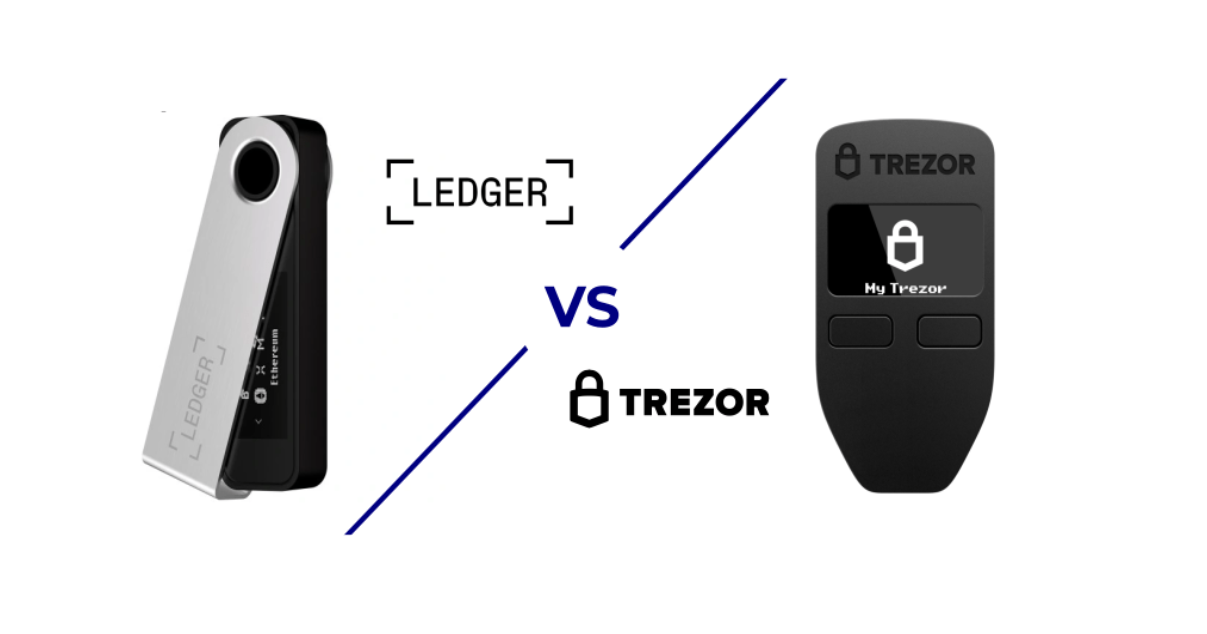
Upon receiving your package, conduct a thorough physical inspection before opening the box. Most reputable manufacturers, such as Ledger or Trezor, utilize specialized tamper-evident holographic stickers or heat-sealed packaging. If the seal appears wrinkled, misaligned, or shows signs of adhesive residue, do not proceed with the setup. For those new to this process, learning how to set up a hardware wallet for the first time can provide the necessary guidance to ensure your device is authentic and ready for use.
Beyond physical inspection, perform a software-based integrity check. When you first connect the device to the official companion application—such as Ledger Live or Trezor Suite—the software will automatically verify the device’s authenticity. This process uses cryptographic attestation to confirm that the device’s secure element was signed by the manufacturer’s private key. If the software reports an “authenticity check failed” or “unrecognized device” error, treat the hardware as compromised immediately.
Operational security during transaction signing
The moment you initiate a transaction on your hardware wallet is the most critical point of vulnerability. Even with a secure device, the data displayed on your computer or smartphone screen can be manipulated by malware. Always verify the destination address and transaction amount directly on the hardware wallet’s physical screen before pressing the confirmation button.
Blind signing risks and mitigation
Blind signing occurs when you approve a transaction without the hardware wallet being able to parse or display the specific details of the smart contract interaction. This is common when interacting with complex decentralized finance (DeFi) protocols. When you enable blind signing, you are essentially trusting the front-end interface of the dApp, which could be compromised to drain your wallet.
To mitigate this risk, prioritize dApps that utilize EIP-712 typed data signatures, which allow your hardware wallet to display human-readable transaction details. If a dApp requires blind signing, verify the contract address against official documentation or community-verified sources on block explorers like Etherscan. Never sign a blind transaction if the interface looks suspicious or if you are redirected from an unofficial URL.
Isolated transaction environments for high-value assets
One of the most effective common hardware wallet mistakes to avoid is using a single device for both long-term cold storage and daily interaction with high-risk dApps. By consolidating all your assets on one seed phrase, you increase the attack surface significantly. If you interact with a malicious contract, the entire contents of that wallet are at risk.
Implement a tiered security strategy by maintaining at least two separate hardware wallets:
- Cold Storage Device: This wallet should never be connected to a browser or dApp. Use it exclusively for long-term holding and receiving assets. It remains offline, and the seed phrase is never typed into any digital interface.
- Interaction Device: Use this wallet for daily DeFi activities, NFT minting, or frequent trading. If this wallet is compromised, your core long-term holdings remain secure on the isolated cold storage device.
By physically separating your assets, you ensure that a single bad transaction or phishing interaction does not result in the total loss of your portfolio.
Firmware update and software maintenance lifecycle
Maintaining the integrity of your hardware wallet requires more than just physical storage; it demands a disciplined approach to firmware and interface software management. Users often overlook the software layer, leaving themselves vulnerable to supply chain attacks or outdated security protocols. By treating your wallet software with the same scrutiny as your private keys, you minimize common hardware wallet mistakes to avoid.
Verifying software signatures through GPG authentication
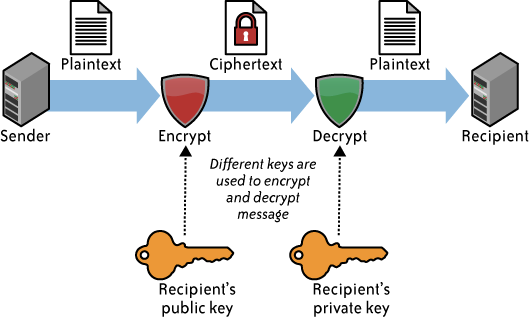
Before installing any companion application or firmware update, you must verify the authenticity of the software package. Developers typically provide GPG (GNU Privacy Guard) signatures alongside their releases. This cryptographic proof confirms that the file originated from the official team and has not been tampered with by a malicious third party.
To perform this check, download the public key from the manufacturer’s official website, import it into your GPG tool, and verify the signature against the installer file. If the signature check fails or returns a warning, do not execute the file under any circumstances.
Update cadence and risk assessment strategies
Security patches are essential to defend against newly discovered vulnerabilities, yet they require a calculated approach. While manufacturers push updates to fix critical flaws, applying them immediately without verifying the source or checking community feedback can occasionally lead to device errors or, in rare cases, a bricked unit.
Always monitor the official manufacturer communication channels, such as their verified Twitter account or GitHub repository, before initiating a firmware update. If a patch addresses a high-severity vulnerability, prioritize the update immediately. However, for minor feature releases, waiting 24 to 48 hours allows the broader community to report potential bugs.
Frequently Asked Questions
Critical mistakes during hardware wallet initialization
The most critical mistake is storing your recovery seed phrase digitally, such as in a screenshot, cloud storage, or password manager. Your seed phrase must be recorded physically on an offline medium, such as a stainless steel plate, to prevent remote extraction by hackers.
Phishing vulnerability and hardware wallet limitations
No. While hardware wallets protect your private keys, they cannot prevent you from signing malicious smart contracts. Always verify the transaction details on the device screen—specifically the contract address and the amount—before confirming any interaction with a dApp. If you are exploring various ecosystems, knowing how to connect binance web3 wallet to pancake swap ensures you can interact with decentralized exchanges safely, while a Binance vs hardware wallet privacy comparison can help you decide which tool best fits your specific self-custody strategy.


