



The Binance Web3 Wallet DApp browser acts as a mobile gateway to decentralized finance, enabling users to interact with protocols directly within the Binance app. By understanding how the binance web3 wallet dapp browser features explained in this guide function, you can navigate DeFi and NFT marketplaces with greater confidence and technical clarity.
Core functionality of the integrated DApp browser
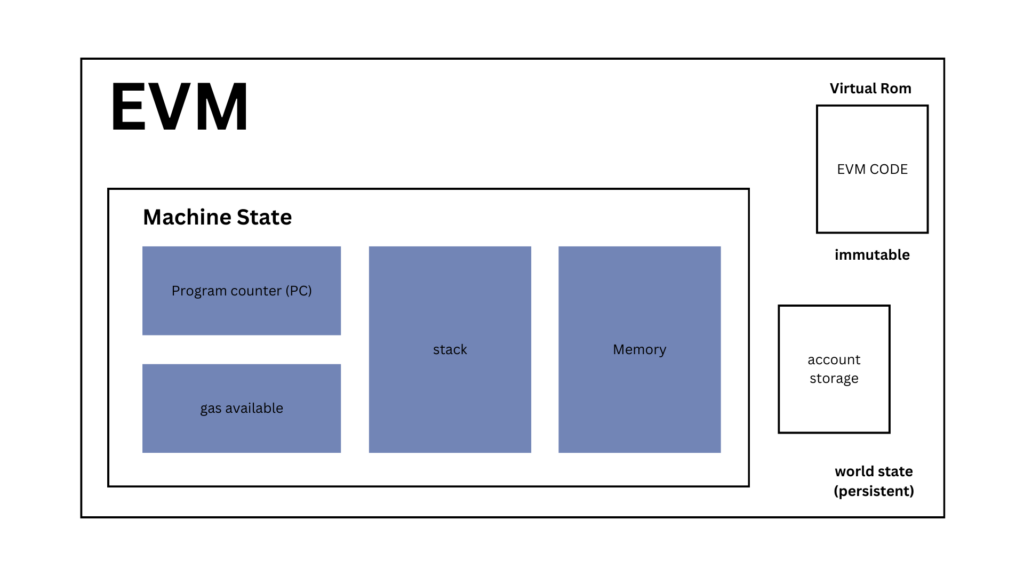
The browser operates by injecting a provider into the web environment, which allows DApps to request account data and transaction signatures without requiring you to switch between apps. This integration eliminates the manual connection steps often found in traditional browser extensions, providing a more fluid user experience for mobile-first investors.
Multi-chain compatibility and protocol support
The browser primarily supports EVM-compatible networks, including Ethereum, BNB Chain, and Polygon. It features an automated network-switching mechanism that prompts you to change your active chain when a DApp requires it, abstracting away the technical complexity of manual RPC configuration. While highly efficient for EVM chains, support for non-EVM networks remains limited, so always verify network compatibility within the specific DApp interface before attempting a connection.
Key features at a glance
- MPC Security: Distributes key shards to eliminate single points of failure.
- Sandboxed Environment: Isolates web traffic to mitigate cross-site scripting (XSS) risks.
- Native Prompts: Displays contract addresses and gas fees before transaction execution.
- Unified Interface: Simplifies network switching across supported EVM chains.
Security architecture for Binance Web3 wallet dapp browser features explained
Security within the Binance Web3 Wallet is built upon Multi-Party Computation (MPC) architecture. Unlike traditional wallets that rely on a single seed phrase, MPC splits your private key into three distinct shards. When you browse DApps, the application uses a sandboxed environment to isolate web traffic from your core wallet functions, significantly reducing the risk of malicious scripts impacting your assets.
Transaction signing and permission management
Every DApp interaction requires your explicit authorization. When a protocol requests a transaction, the browser triggers a native prompt detailing the contract address, estimated gas fees, and the specific smart contract function being invoked. This granular control is your primary defense against unauthorized token spending, as it forces you to review the intent of every interaction.
Limitations of the integrated sandbox environment
While the sandbox protects your private key shards from website access, it does not act as a firewall against malicious smart contracts. The browser cannot verify if a protocol is legitimate or if a contract contains a drainer function. You must independently verify contract addresses and project legitimacy, as the interface does not perform real-time audits of essential features blockchain code.
Performance metrics and user experience trade-offs
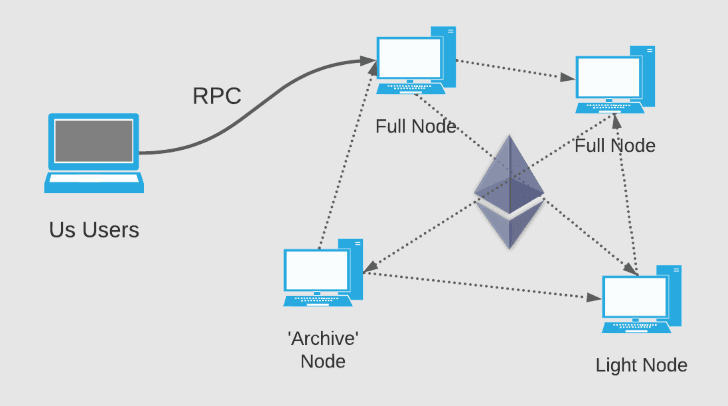
The integrated browser prioritizes mobile accessibility over the deep customization found in desktop extensions like MetaMask or Rabby. While this results in a streamlined experience, it can lead to slower data fetching for complex DApps. The reliance on Binance-provided RPC nodes ensures consistent connectivity, though this introduces a centralization trade-off compared to users who prefer to configure their own private RPC endpoints for maximum privacy.
Latency and RPC node connectivity
During periods of high network congestion, your transaction speed is tied to the stability of the backend RPC nodes. While these nodes are optimized for high throughput, you may experience delays compared to manual node configurations. For time-sensitive trades, the lack of manual gas adjustment flexibility in the standard browser view can be a limiting factor.
Verification requirements for DApp interaction
Before connecting your wallet, perform basic due diligence. Verify the URL against official project documentation and check the project’s social media presence for recent security alerts. Review popular web3 community platforms like Discord or X to see if other users report issues. Never connect your wallet to a site accessed via unsolicited links or advertisements.
Identifying malicious smart contract signatures
A critical step in asset protection is analyzing the transaction prompt before clicking ‘Confirm’. If a DApp requests a signature that grants ‘unlimited’ spending authority for a token, or if the transaction details are obscured, treat it as a potential phishing attempt. Look for clear, readable transaction data and avoid signing requests that seem disproportionate to the intended action.
Comparative utility against browser-based extensions
The Binance Web3 Wallet browser is designed for mobile users who value the security of MPC technology. While it is an excellent tool for daily tasks like token swaps or NFT minting, it does not replace the utility of desktop extensions for power users. Desktop extensions offer superior debugging tools, custom RPC management, and broader support for niche testnets that the mobile browser currently lacks.
| Feature | Binance Web3 Wallet | Desktop Extension (e.g. MetaMask) |
|---|---|---|
| Primary Use | Mobile Convenience | Advanced/Desktop |
| Key Management | MPC (No seed phrase) | Seed Phrase/Hardware |
| Custom RPC | Limited | Full Control |
| Security | Sandboxed Mobile | Browser-level |
Frequently Asked Questions
Compatibility scope for Binance Web3 Wallet DApp access
The browser is compatible with most EVM-based DApps, though it may not support niche or non-EVM chains.
Custodial status of the Binance Web3 Wallet
It is a non-custodial wallet using MPC technology, ensuring you maintain control over your assets. Understanding the web3 web ownership model is essential for effective asset management.
Troubleshooting connection errors
Try clearing the browser cache within the wallet, verifying your internet connection, or confirming that the DApp supports the specific network you are currently using.
Fee structures for DApp interactions
Binance does not charge extra fees for using the browser, but you must pay standard network gas fees. If you are looking to idea dapp build, factor these gas costs into your project planning.
Private key management and export procedures
Because the wallet uses MPC, there is no single private key to export. You back up your wallet using a recovery password or cloud backup. Learn more about web3 technology architecture to understand how these security layers interact.


