



Core trade-offs in design software selection: Which software is best for UI/UX design
Choosing the right interface design tool requires balancing team collaboration needs, hardware performance, and the specific requirements of your design system. While industry standards like Figma, Adobe XD, and Sketch dominate the market, the decision of which software is best for UI/UX design hinges on whether your workflow prioritizes real-time synchronization or local file control.
Cloud-native versus local file storage
Cloud-native platforms like Figma operate entirely within a browser or a lightweight desktop wrapper, syncing every change to a remote server instantly. This architecture eliminates version control headaches, as the entire team works from a single source of truth.
However, this dependency on internet connectivity creates a significant bottleneck for designers working in areas with unstable connections or those handling massive, high-fidelity asset libraries that may lag during browser-based rendering.
Conversely, local-first applications like Sketch or Adobe XD store files directly on your machine or a local network drive. This approach offers distinct advantages for security-conscious organizations that cannot permit proprietary design files to reside on third-party cloud servers. Local storage also ensures that your workflow remains uninterrupted during internet outages.
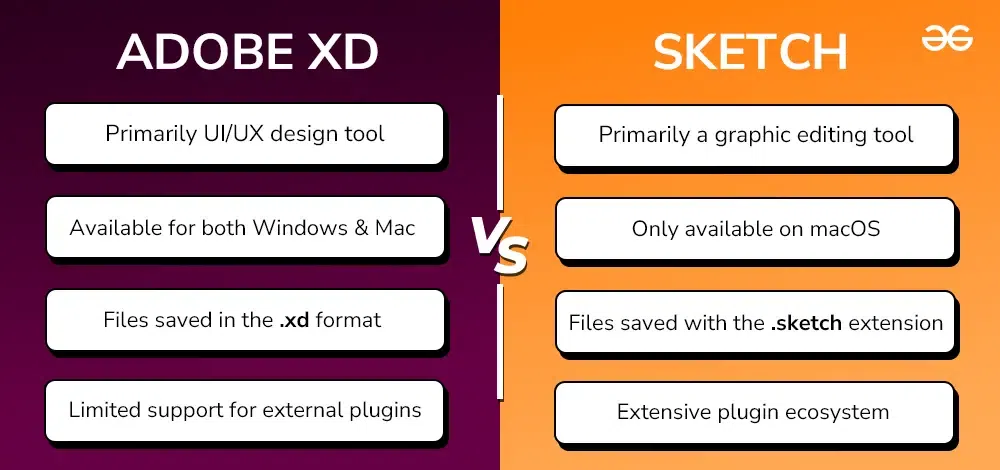
The trade-off is the complexity of manual file management; teams must implement robust version control systems like Abstract or rely on disciplined naming conventions to prevent overwriting critical work. When evaluating these options, consider your team’s typical environment: if you are a remote-first team, the collaborative overhead of cloud-native tools usually outweighs the security benefits of local storage. If you are operating within a highly regulated industry such as fintech or defense, the air-gapped capabilities of local file storage often become a non-negotiable requirement for your design stack. For those managing complex digital assets, understanding the best crypto tax software for tokenized assets is often a parallel concern for financial tech firms.
Assessing prototyping capabilities for high-fidelity testing
High-fidelity prototyping is the bridge between static design and functional development. When evaluating which software is best for UI/UX design, the ability to replicate real-world application behavior is paramount. Tools like Figma and ProtoPie dominate this space because they allow designers to move beyond simple screen-to-screen transitions, enabling the creation of prototypes that feel like genuine production code.
Effective high-fidelity testing requires more than just visual polish. It demands precise control over micro-interactions, such as swipe gestures, haptic feedback simulation, and scroll-linked animations. If a design tool lacks the capacity to handle these granular inputs, the resulting usability data will likely be skewed, as testers may struggle with the prototype’s lack of responsiveness rather than the actual user flow.
Variable-based logic and conditional interactions
Advanced user testing often hinges on the prototype’s ability to remember state and react to user input dynamically. Without variable-based logic, a prototype is essentially a linear slide deck. Designers need software that supports conditional interactions—for example, showing a specific error message only if a user enters an incorrect password format, or updating a shopping cart total based on selected quantities.
Tools that integrate variables allow for the creation of “smart” prototypes that can store data locally during a session. This is critical for testing complex onboarding flows or multi-step checkout processes where the user’s previous choices must influence subsequent screens. By implementing logic-driven prototypes, designers can observe how users handle system feedback and error states in a controlled environment, significantly reducing the gap between design intent and engineering feasibility.
When selecting your stack, prioritize software that offers a robust expression engine or a visual logic builder. If you find yourself needing to export prototypes to external platforms just to test basic conditional logic, the software in question is likely failing to meet the requirements of a modern high-fidelity workflow. The best tools minimize these friction points, allowing for rapid iteration based on real-time user behavior data.
Scalability of design systems and component management
When evaluating design tools at scale, the ability to maintain a single source of truth for design tokens and reusable components is paramount. Enterprise environments require tools that treat design elements as code-adjacent assets rather than static graphics. Figma remains the industry standard here, primarily due to its robust library management, which allows designers to publish updates to components that propagate across hundreds of files instantly.
Adobe XD and Sketch offer similar capabilities, but they often struggle with the complexity of nested instances and variant management when teams exceed fifty designers. If your organization relies on a strict design-to-code pipeline, prioritize software that integrates directly with documentation tools like Storybook or Zeroheight. This ensures that the design system documentation stays synchronized with the actual component library, reducing the friction between design intent and engineering implementation.
Version control and branching mechanisms
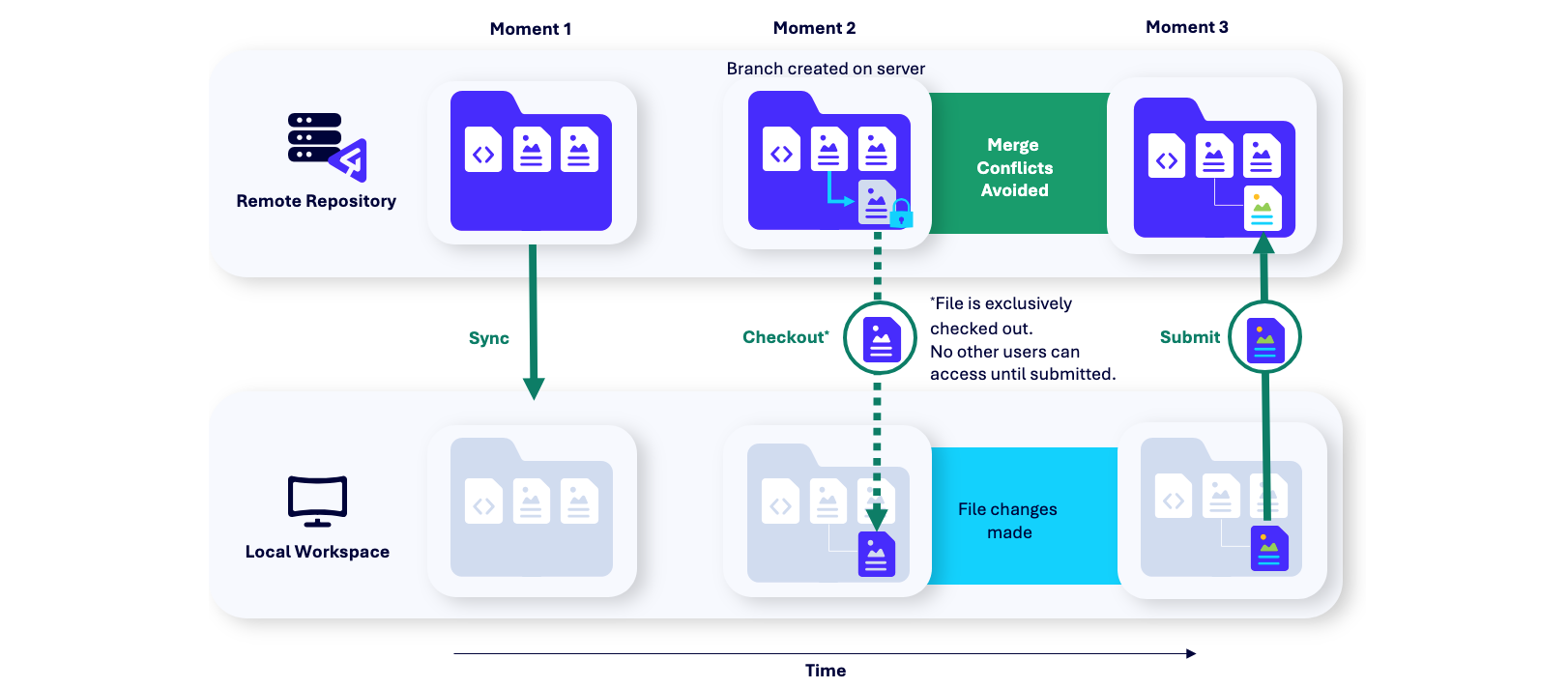
Enterprise-level design teams often face the challenge of multiple designers working on the same core components simultaneously. Traditional file-sharing methods lead to overrides and broken dependencies. Software that incorporates git-like branching, such as Figma’s branching feature or Abstract for Sketch, is essential for maintaining stability in large-scale projects.
Branching allows designers to create a sandbox environment where they can experiment with component updates, test new variants, and refine documentation without impacting the production-ready design system. Once the changes are verified, the designer initiates a merge request. This process forces a peer-review cycle, ensuring that every modification to the design system is vetted by a lead designer or design architect.
For teams managing complex products with multiple release cycles, this level of control is not merely a convenience; it is a necessity to prevent technical debt from accumulating within the design system itself. When selecting your tool, assess whether the branching workflow is intuitive enough for your team to adopt without significant overhead, as overly complex versioning systems often lead to designers bypassing the process entirely. For teams looking to optimize these workflows, following ux design best practices is essential.
Integration with developer handoff workflows
The efficiency of a design team is measured by how seamlessly high-fidelity mockups transition into production code. The primary bottleneck is often the friction between design specs and developer implementation. Modern platforms now prioritize automated CSS generation, asset exporting, and design token management to minimize manual documentation.
Figma remains the industry standard for handoff because its browser-based architecture allows developers to inspect layers, extract hex codes, and download SVG assets without needing a paid license. Tools like Adobe XD and Sketch have attempted to bridge this gap through cloud-linked prototypes, but they often require additional plugins to match the native inspection capabilities found in Figma’s Dev Mode. Choosing a tool that allows developers to toggle between design and code views directly within the browser significantly reduces the time spent on back-and-forth communication.
API access and plugin ecosystem utility
The utility of a design tool is rarely limited to its out-of-the-box features. A robust API and an active plugin ecosystem are essential for teams that rely on custom design systems or specific version control requirements. Plugins allow designers to automate repetitive tasks, such as generating dummy data, checking accessibility contrast ratios, or syncing design tokens directly to a GitHub repository.
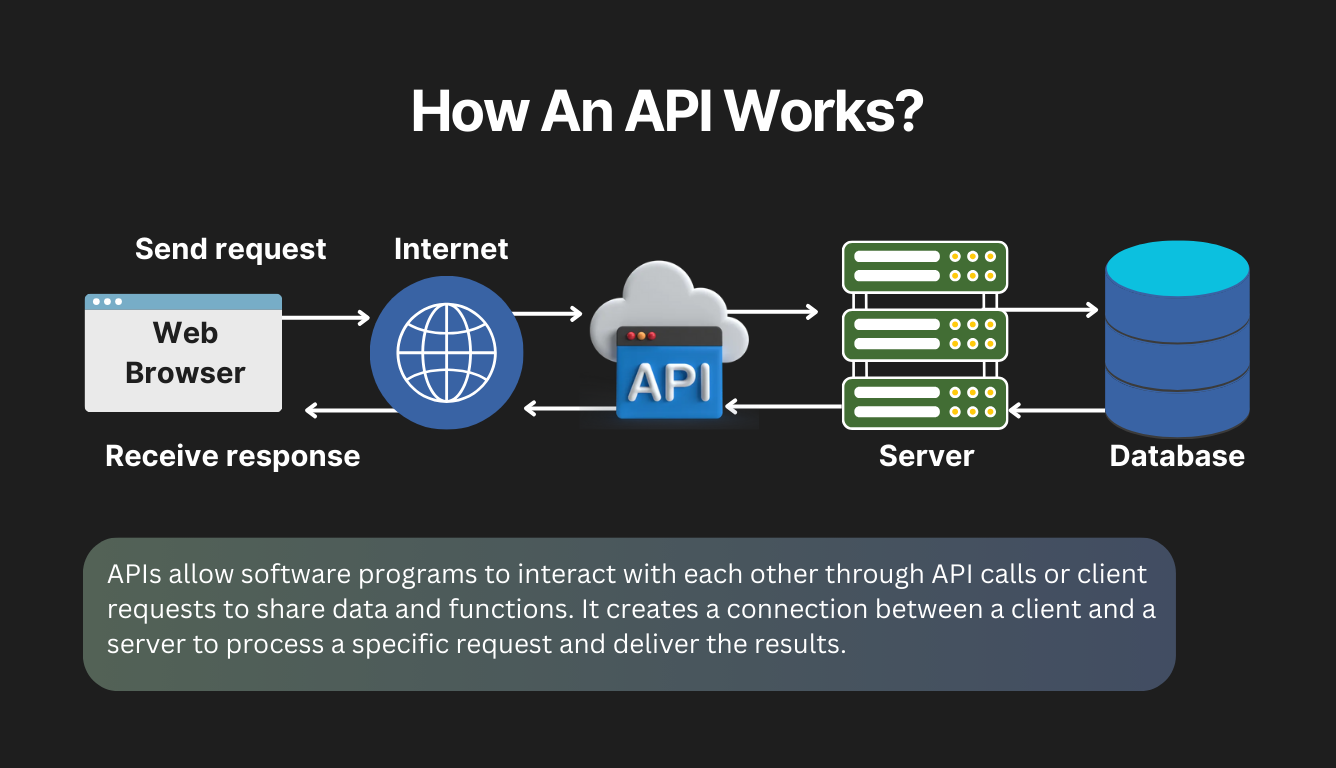
For instance, using plugins like ‘Tokens Studio’ allows teams to maintain a single source of truth for design tokens—such as color palettes, spacing units, and typography scales—that can be pushed directly to codebases. If your workflow involves complex design systems, prioritize software that supports:
- Direct integration with Jira or Linear for tracking design tasks.
- Automated export of design tokens into JSON or CSS formats.
- Custom API scripts to batch-process assets or generate documentation.
Software that lacks an open API or a curated plugin marketplace will eventually force your team to rely on manual workarounds. This introduces human error and slows down the delivery cycle. When selecting your stack, audit the available plugins for your specific tech stack—such as React, Vue, or Swift—to ensure the design tool can speak the same language as your engineering team.
Cost structures and enterprise licensing models
Selecting the right design tool requires a deep dive into long-term financial commitments beyond the initial subscription fee. Most industry-standard platforms, such as Figma, Adobe Creative Cloud, and Sketch, utilize tiered subscription models that scale based on the number of active editors. Understanding these structures is essential for maintaining a predictable operational budget as your design team grows. If you are looking to scale your operations, you might consult with design agencies year to optimize your workflow.
Hidden costs of seat-based pricing
The primary challenge with seat-based pricing is the compounding effect of scaling. While a single seat might seem negligible, enterprise teams often face significant overhead when managing permissions, SSO (Single Sign-On) integration, and advanced security features that are typically locked behind higher-tier plans like Figma’s Organization or Enterprise levels.
These tiers often mandate a minimum seat count, forcing organizations to pay for unused licenses just to access administrative controls or private branching features. Beyond the base subscription, consider the following cost drivers that often surprise design leads:
- Plugin and Integration Fees: While many plugins are free, professional-grade tools for advanced prototyping, accessibility auditing, or design-to-code handoff often require separate recurring subscriptions.
- Cloud Storage and Asset Management: High-fidelity assets, video files, and version history logs can push teams into higher storage tiers, adding unexpected monthly costs.
- Training and Onboarding: Transitioning a team from one software to another involves significant downtime. Factor in the cost of lost productivity and external training workshops when calculating the total cost of ownership.
- External Collaborator Access: Some platforms charge full price for “view-only” or “guest” contributors, which can quickly inflate costs if you frequently collaborate with stakeholders or external agencies.
When evaluating your options, perform a three-year cost projection. Compare the total cost of a seat-based model against perpetual licensing options or open-source alternatives that may offer lower entry costs but higher maintenance requirements. Prioritize platforms that offer transparent pricing calculators and clear upgrade paths, as these prevent the “vendor lock-in” trap where migration costs eventually exceed the price of the subscription itself.
Frequently Asked Questions
Limitations of universal design software
No single tool is universally superior. The best choice depends on whether your priority is high-fidelity prototyping, developer handoff efficiency, or vector-based illustration capabilities. For specialized needs, many firms turn to a best ui design company to ensure their platform meets industry-specific standards.
Evaluation process for selecting software for your team
Evaluate tools based on three criteria: real-time collaboration features, the quality of the developer handoff documentation, and the availability of design system management plugins. You can also review user interface design agencies to see how they handle these technical evaluations.


