



How to check Binance login activity for account security
Learning how to check Binance login activity is the most effective way to detect unauthorized access attempts before they result in asset loss. By regularly reviewing your session history, you can identify unrecognized IP addresses, suspicious device types, or unusual login times that deviate from your standard patterns.
To begin, you must navigate to the Security section of your account, which serves as the central hub for all authentication and access logs.
Desktop and mobile navigation differences
The interface layout for viewing login history varies significantly between the desktop web version and the mobile application. Understanding these differences ensures you can perform security checks regardless of your preferred device.
- Desktop Web Browser: Once logged into your account, click the profile icon located in the top-right corner of the dashboard. From the dropdown menu, select Security. On the security overview page, look for the Account Activity tab or the Device Management section. This view provides a detailed list of active sessions, including the specific browser, operating system, and the approximate geographic location associated with each login.
- Mobile Application: Open the Binance app and tap the profile icon in the top-left corner. Navigate to Security, then select Device Management. The mobile interface is streamlined to show currently active sessions and a history of recent logins. Unlike the web version, the mobile app often highlights the specific device currently in use, allowing for a quick comparison against your known hardware.
If you identify a session that you do not recognize, you should immediately terminate that specific connection using the provided delete or log-out options. Following this, it is standard practice to change your account password and verify that your how to enable 2FA on Binance wallet settings remain active and tied to your personal devices.
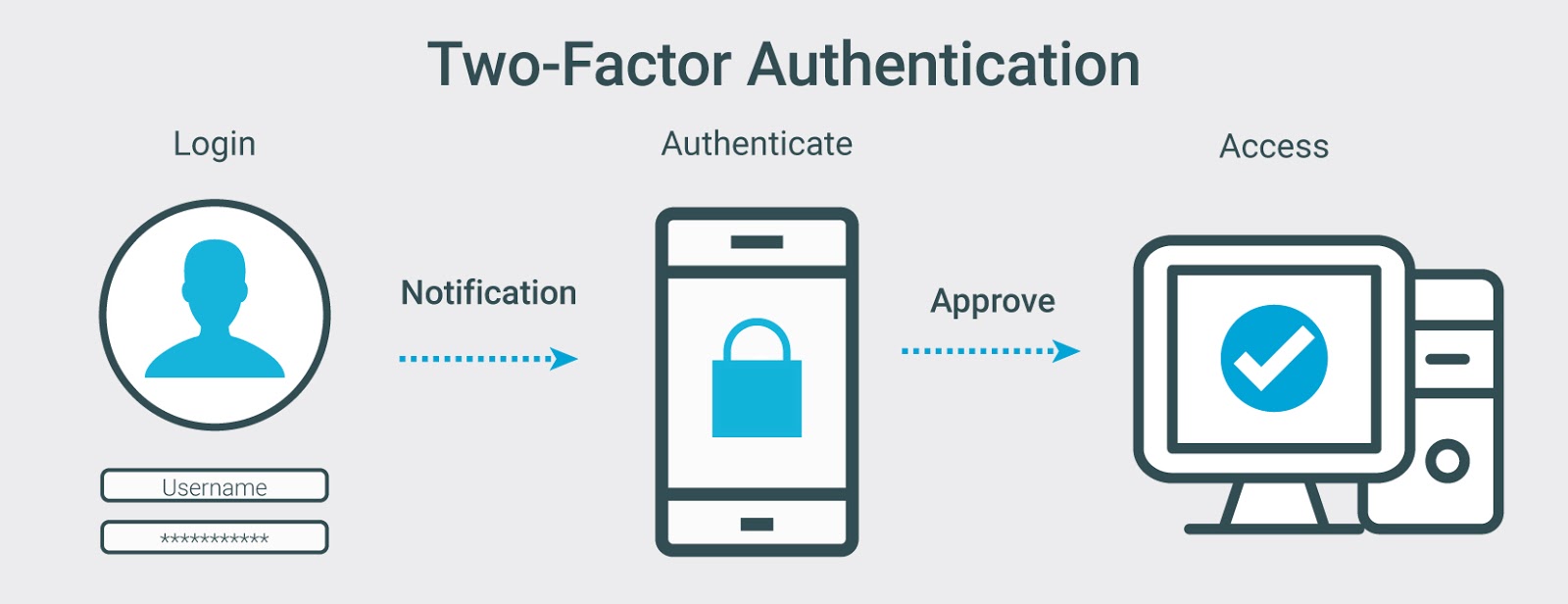
Regularly checking these logs ensures that any potential breach is mitigated before it impacts your portfolio.
Interpreting Binance login activity data points
When you access your account history, Binance provides a granular breakdown of every login attempt. Understanding these data points is the first line of defense against unauthorized access. Each entry includes the date, time, IP address, device type, and approximate location.
Reviewing these logs regularly allows you to spot discrepancies that deviate from your established usage patterns.
Identifying IP addresses and device fingerprints
The IP address column is your primary indicator of origin. If you primarily trade from a home network, your IP should remain relatively consistent, though it may change if your ISP uses dynamic addressing. Use a tool like WhatIsMyIPAddress to confirm your current public IP and compare it against the logs.
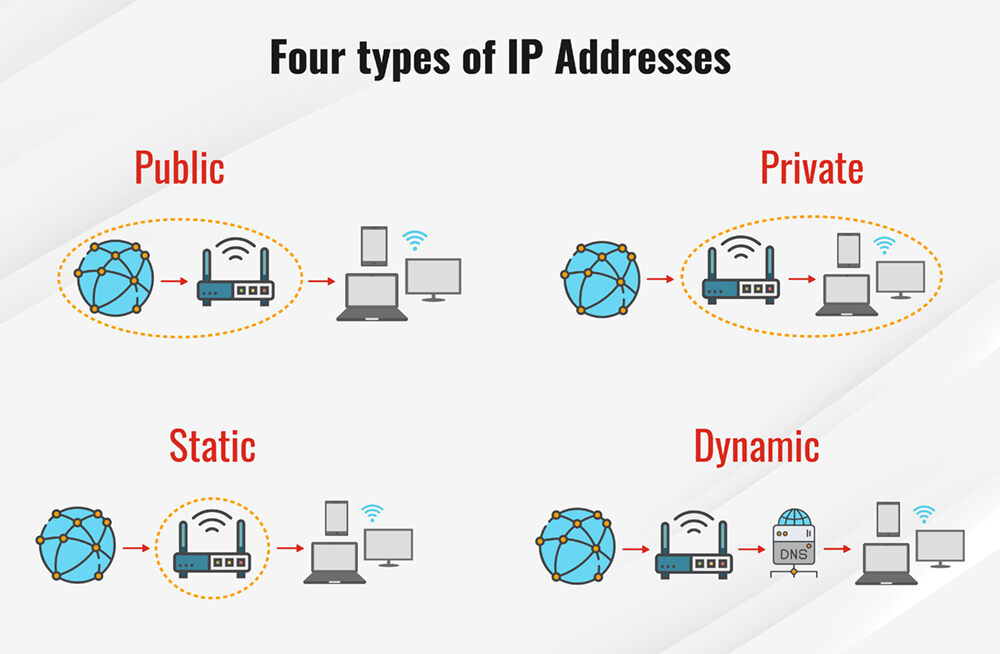
If you see an IP address originating from a different country or a known VPN exit node that you did not authorize, this is a red flag. Binance also records device fingerprints, which include your browser version, operating system, and hardware identifiers. If you are concerned about your digital footprint, you might also want to review your Binance wallet privacy settings guide to ensure your interactions remain secure.
If your logs show a login from a “Windows Chrome” device when you exclusively use a “macOS Safari” setup, you should immediately investigate. Attackers often use automated scripts or different browser environments that will not match your unique device signature.
Timestamp analysis and session duration
Analyzing the timing of your logins helps establish a baseline for your account activity. If you typically trade during specific market hours, a login attempt at 3:00 AM local time should trigger immediate suspicion. Pay close attention to the session duration recorded in your activity logs.
If you see a session that lasted for several hours when you only logged in for a five-minute check, this could indicate that a malicious actor has hijacked an active session token. While Binance employs strict session timeouts, any overlap between your actual usage and a logged session that you do not recognize requires an immediate password reset and a review of your API key permissions.
Always cross-reference these timestamps with your own memory of when you accessed the platform to ensure no unauthorized overlaps exist.
Immediate actions for suspicious login detection
If you identify an unrecognized IP address or device while learning how to check Binance login activity, you must act instantly to prevent unauthorized asset withdrawal. Binance does not automatically log out sessions when a password is changed, so manual intervention is required to secure your account.
Terminating active sessions and resetting credentials
To revoke access for all connected devices, navigate to the Security dashboard within your Binance account settings. Locate the Device Management section, which lists every browser, mobile app, and API connection currently authorized to access your account. Click the Remove or Delete button next to any device that you do not recognize or no longer use. This action forces an immediate logout for those specific sessions.
After clearing unauthorized devices, you must rotate your security credentials to prevent the intruder from regaining access. Follow these steps to lock down your account:
- Change your password: Navigate to the Account Security tab and select Change Password. Use a unique, high-entropy string of at least 16 characters that is not shared with your email or other exchange accounts.
- Reset API keys: If you have active API keys, delete them immediately. Attackers often use API keys to bypass 2FA for trading or withdrawals. Create new keys only after you have confirmed your account is secure.
- Update 2FA methods: If you suspect your mobile device or email has been compromised, disable your current 2FA and re-enable it using a hardware security key (such as a YubiKey) or a fresh authenticator app setup.
- Check withdrawal addresses: Review your Whitelist settings under the Withdrawal Address Management menu. Ensure no unknown wallet addresses have been added to your account, as attackers frequently add their own addresses to facilitate quick asset theft.
Once these steps are completed, contact Binance Support through the official website or app. Provide the specific timestamps of the suspicious activity you observed. Do not share your password or private keys with support agents, as official representatives will never request this information.
Limitations of login activity logs
While the Binance security dashboard provides a granular view of your account access, these logs are not infallible. Relying solely on IP addresses and geolocation data can lead to false positives if you do not account for how modern network infrastructure functions. Understanding these technical constraints is essential for accurate security monitoring.
Dynamic IP addresses and VPN interference
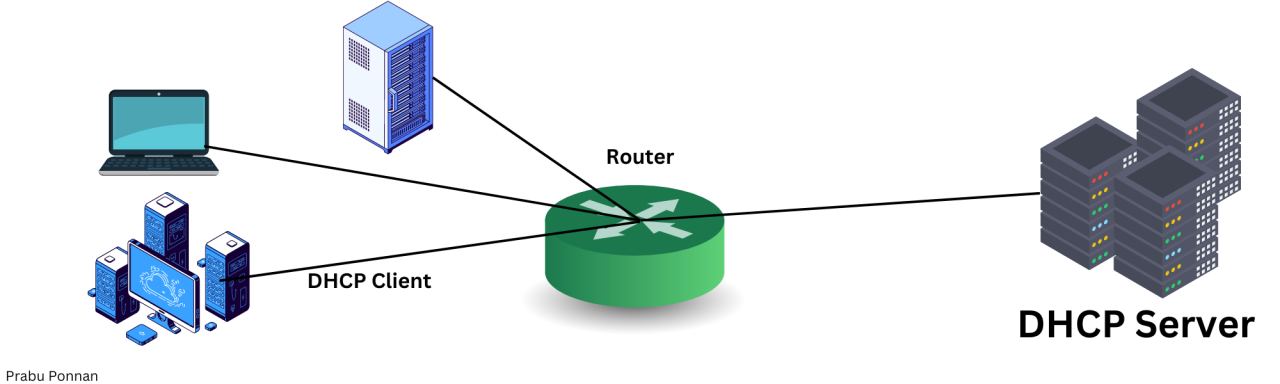
Most residential internet service providers (ISPs) assign dynamic IP addresses to their users. This means your IP address can change periodically, even if you remain in the same physical location. If you check your Binance login activity and see a different IP address than the one you had yesterday, it does not necessarily indicate a breach. It is simply a standard function of your ISP’s DHCP (Dynamic Host Configuration Protocol) settings.
The situation becomes more complex when using Virtual Private Networks (VPNs) or proxy services. When a VPN is active, Binance records the IP address of the VPN exit node rather than your actual home connection. If you frequently toggle your VPN on and off, or switch between different server regions, your login history will reflect these disparate locations. This creates a fragmented log that can make it difficult to distinguish between your own activity and unauthorized access.
To mitigate confusion, follow these best practices:
- Document your VPN usage: Keep a record of the server locations you typically connect to so you can cross-reference them with the timestamps in your Binance logs.
- Use static IPs if available: If you require a consistent IP for security whitelisting, consider using a dedicated static IP provided by your VPN service.
- Cross-verify with device IDs: Binance logs include device information. Even if an IP address appears unfamiliar due to network routing, check if the device model and browser version match your hardware.
Ultimately, logs should be treated as a secondary layer of defense. If you see a login from a device or browser you do not recognize, prioritize immediate action—such as resetting your password or disabling API keys—rather than attempting to verify the IP address through geolocation tools, which are often imprecise.
Proactive security measures beyond log monitoring
Monitoring your Binance login activity is a reactive defense, alerting you only after a potential breach has occurred. To truly secure your assets, you must implement proactive layers that prevent unauthorized access before it happens. Relying solely on passwords, even complex ones, leaves your account vulnerable to phishing and credential stuffing attacks.
Implementing hardware-based 2FA
The most effective upgrade for your Binance security is the transition from SMS or email-based two-factor authentication (2FA) to FIDO2-compliant hardware security keys like YubiKey or Google Titan. Unlike SMS codes, which are susceptible to SIM-swapping attacks and interception, hardware keys require physical possession of the device to authorize a login. For those comparing security standards, reviewing a Binance vs hardware wallet privacy comparison guide can provide further context on self-custody risks.
To set this up on Binance:
- Navigate to the Security dashboard in your account settings.
- Select Security Keys under the 2FA section.
- Insert your hardware key into your computer’s USB port or tap it via NFC on your mobile device.
- Follow the browser prompts to register the device.
- Once registered, Binance will require this physical key for withdrawals and sensitive account changes, effectively neutralizing the risk of remote credential theft.
Beyond hardware keys, you should audit your API Management settings regularly. Many users create API keys for trading bots or tax software and forget to restrict their permissions. Ensure that any active API key has “Enable Withdrawals” unchecked. If you are not actively using an API connection, delete the key entirely to shrink your account’s attack surface.
Additionally, utilize the Anti-Phishing Code feature. By setting a unique code, every legitimate email from Binance will display this string, allowing you to instantly identify fraudulent emails attempting to harvest your login credentials. Combining these hardware and software controls creates a robust defense that makes unauthorized account access significantly more difficult for malicious actors.
Frequently Asked Questions
Location of login history within the Binance interface
Log in to your Binance account, navigate to the ‘Security’ section in your dashboard, and select ‘Account Activity’ or ‘Device Management’. This area displays a chronological list of recent logins, including timestamps, IP addresses, and device types.
Response protocols for unrecognized login events
If you identify a suspicious login, immediately terminate that specific session via the ‘Device Management’ tab. Follow this by changing your account password, updating your 2FA settings, and contacting Binance support to report the unauthorized access. If you have concerns about your history, you may also want to learn how to delete Binance transaction history to maintain your financial privacy.


