



Core compatibility for managing ERC-721 tokens in Binance Wallet
Managing ERC-721 tokens in Binance Wallet requires a clear understanding of how the interface interacts with the Ethereum ecosystem. While Binance Wallet serves as a bridge for decentralized applications, users must ensure their assets are compatible with the wallet’s specific architecture to avoid visibility issues or failed transaction attempts.
Network and chain support limitations
Binance Wallet primarily prioritizes assets on the BNB Smart Chain (BSC) and the Ethereum Mainnet. When you are managing multi-chain dapps in binance wallet, you must verify that the token contract address is deployed on a supported network.
If you attempt to import an NFT from a Layer 2 scaling solution or a less common sidechain, the wallet may fail to index the asset correctly. Always confirm the network ID in your wallet settings before initiating a transfer or attempting to view a collection.
If a token exists on a non-integrated chain, it will remain on the blockchain but will not appear in your wallet’s NFT gallery. You will need to connect your wallet to a third-party block explorer or an how to manage NFTs in Binance Wallet to interact with the asset.
Visual metadata rendering expectations
The display of ERC-721 tokens depends on the wallet’s ability to fetch metadata from decentralized storage providers like IPFS or Arweave. Binance Wallet parses the tokenURI field within the smart contract to retrieve JSON files containing the image link, name, and description.
If the metadata server is experiencing downtime or if the image link is broken, the wallet will display a placeholder icon instead of the actual artwork. Users should be aware that high-resolution assets or complex 3D files may take longer to load due to the wallet’s internal caching mechanisms.
If your NFT does not render, check the contract on Etherscan to ensure the tokenURI is correctly formatted and publicly accessible.
Security protocols for managing ERC-721 tokens in Binance Wallet
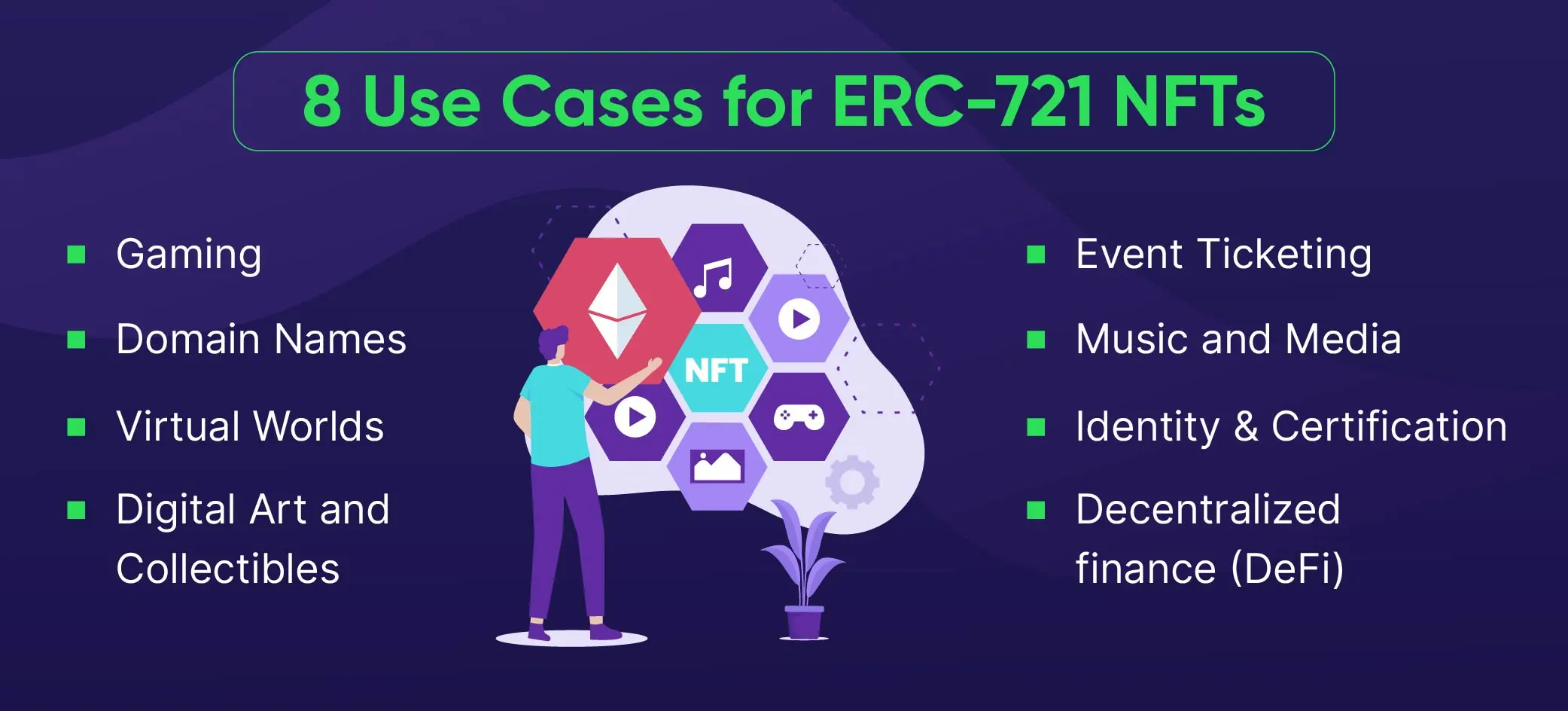
Securing non-fungible tokens (NFTs) requires a rigorous approach to wallet hygiene, as ERC-721 assets are often targets for phishing and malicious smart contract exploits. Users must prioritize transaction transparency and credential isolation to prevent unauthorized asset transfers.
Signature request verification
Before confirming any transaction, you must scrutinize the signature request details displayed within the Binance Wallet interface. Malicious actors often use ‘blind signing’ tactics, where a prompt appears legitimate but hides a function call that grants the attacker full control over your NFT collection.
Always inspect the contract address and the specific function being called. If the prompt requests ‘SetApprovalForAll,’ you are granting the contract permission to move every NFT in your wallet. Only approve this if you are interacting with a verified, reputable marketplace like OpenSea or Blur.
If the prompt is unexpected or originates from an unverified source, decline the request immediately to protect your holdings. If you encounter a binance wallet signature request failed error, ensure your browser extension is updated.
Seed phrase and private key management
The security of your ERC-721 tokens relies entirely on the integrity of your seed phrase. Binance Wallet acts as a gateway to the blockchain, but the actual ownership is defined by the private keys derived from your 12-to-24-word recovery phrase. Never store these words in digital formats such as cloud storage, screenshots, or password managers connected to the internet.
A physical backup, such as a stainless steel plate or a handwritten document kept in a secure, fireproof location, remains the gold standard for long-term storage. Avoid importing your primary seed phrase into secondary browser extensions or third-party dApps.
If you must interact with high-risk or experimental platforms, utilize a ‘burner’ wallet with limited assets rather than your main storage account. By maintaining a strict separation between your primary vault and your active trading wallet, you significantly reduce the blast radius of a potential security breach.
Transaction workflow for managing ERC-721 tokens in Binance Wallet
Executing transfers or listing ERC-721 assets requires precise interaction with the Ethereum mainnet. When you initiate a transfer within the Binance Wallet interface, the application constructs a transaction payload that interacts directly with the NFT’s smart contract. You must ensure your wallet holds sufficient ETH to cover the base transaction fee, as the wallet will prompt you to sign the transaction via your private key before broadcasting it to the mempool.
Manual contract address imports
Binance Wallet automatically detects many popular NFT collections, but newer or niche projects often remain hidden until manually added. To force the wallet to recognize your asset, navigate to the NFT section and select the ‘Import’ or ‘+’ icon.
You will need the specific contract address of the collection and the unique Token ID of your asset. You can retrieve these details by searching your wallet address on Etherscan and viewing the ‘ERC-721 Token Txns’ tab. Once you input the contract address, the wallet queries the blockchain to verify ownership, after which the NFT metadata should populate your dashboard.
Gas fee estimation and network congestion
Managing ERC-721 tokens in Binance Wallet during periods of high network demand requires a strategic approach to gas settings. Ethereum gas prices fluctuate based on the volume of pending transactions; sending an NFT during peak times can lead to failed transactions or exorbitant costs.
Binance Wallet provides an estimated gas fee based on current network conditions. If your transaction is time-sensitive, you may need to manually adjust the gas limit or priority fee. Always check real-time data on platforms like Etherscan Gas Tracker before confirming.
If the network is congested, opting for a ‘High’ priority setting increases the likelihood of inclusion in the next block, though it significantly raises the cost. Conversely, if you are not in a rush, selecting a ‘Low’ or ‘Market’ setting preserves your ETH balance, provided the network does not experience a sudden spike in activity that stalls your transaction indefinitely.
Risk mitigation during marketplace interactions
Interacting with NFT marketplaces requires a proactive security posture to protect your digital assets. When managing ERC-721 tokens in Binance Wallet, you are essentially connecting your private keys to third-party smart contracts. If a marketplace platform suffers a breach or employs malicious code, your connected assets could be at risk if you have granted unlimited spending permissions.
Audit and removal procedures for smart contract approvals
Many users mistakenly believe that simply disconnecting their wallet from a website is enough to secure their assets. In reality, smart contract approvals remain active on the blockchain until explicitly revoked. To audit and remove these permissions, follow these specific steps:
- Use a dedicated permission manager: Navigate to reputable tools such as Revoke.cash or Etherscan’s Token Approval tool. These platforms allow you to view every smart contract currently authorized to interact with your wallet address.
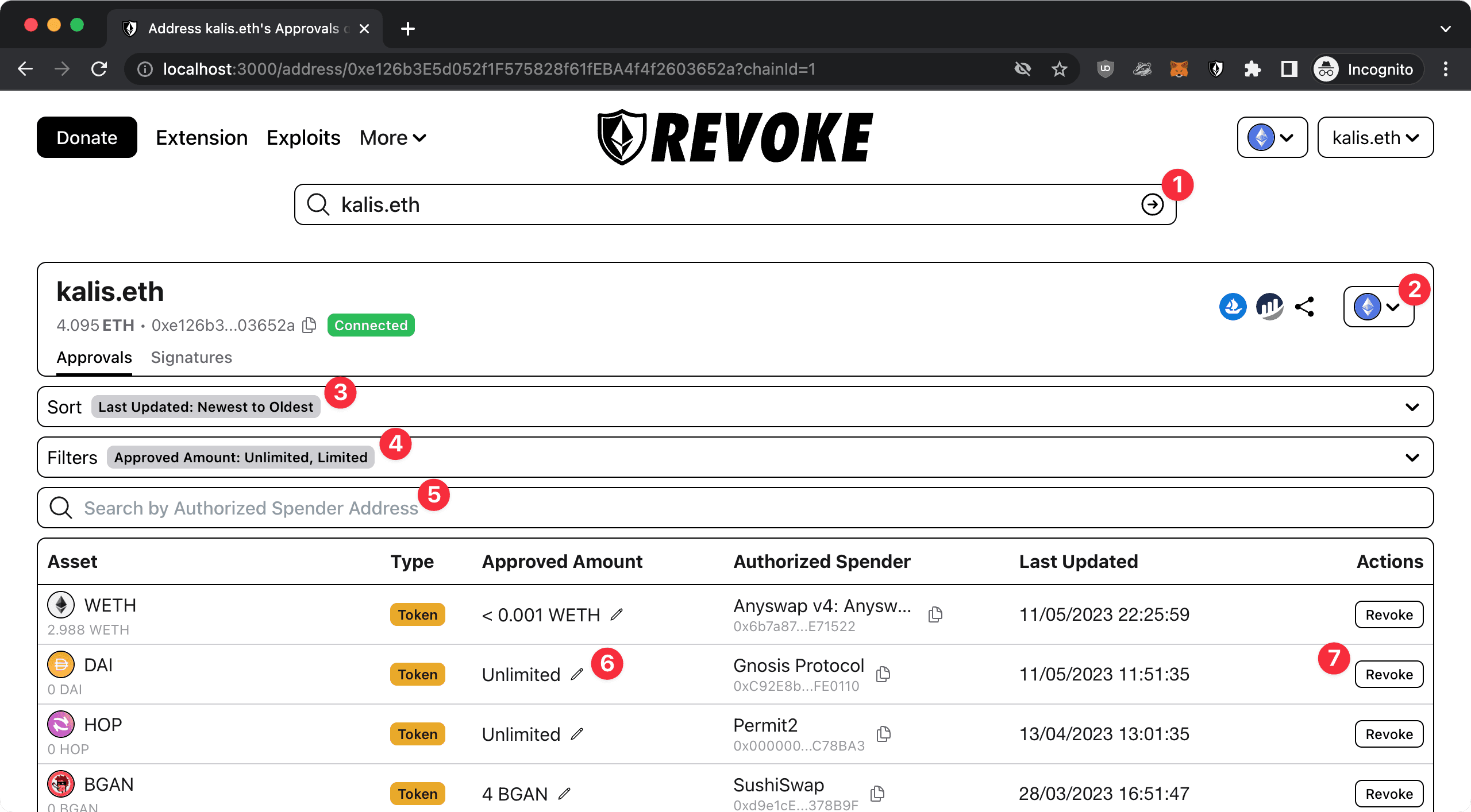
- Connect your Binance Wallet: Use the ‘Connect Wallet’ feature on the permission manager site. Ensure you are on the correct network (e.g., Ethereum Mainnet) to see your ERC-721 token approvals.
- Filter by asset type: Look specifically for the ‘NFT’ or ‘ERC-721’ tab to identify which marketplaces or dApps have been granted access to your unique tokens.
- Execute the revocation: Identify any suspicious or outdated contracts and click the ‘Revoke’ button. This will trigger a transaction in your Binance Wallet that updates the blockchain state, effectively nullifying the contract’s ability to move your tokens.
Be aware that revoking permissions requires a small amount of native gas to process the transaction. Prioritize revoking permissions for marketplaces you no longer use or platforms that have recently undergone security audits. Regularly auditing these approvals every few months is a standard security practice for active NFT collectors to ensure that no dormant smart contracts retain access to your high-value assets.
Frequently Asked Questions
Visibility of ERC-721 tokens within the Binance Wallet interface
Binance Wallet supports ERC-721 tokens, but you may need to manually import the contract address of specific NFTs if they do not appear automatically in your asset list. If you are troubleshooting Binance Wallet NFT not showing, verify your network settings first.
Primary risk factors when managing ERC-721 tokens in Binance Wallet
The primary risk involves interacting with malicious smart contracts. Always verify the contract address on Etherscan before approving any transaction or signature request. If you need to disconnect Binance Web3 wallet from dapps, you can do so through the wallet’s connection settings.


