



Immediate containment and impact assessment: How to handle a compromised open source project
When a security breach is identified within an open source project, the priority is to halt the propagation of malicious code before it reaches downstream users. The first step involves freezing all repository activity to prevent further unauthorized commits or releases.
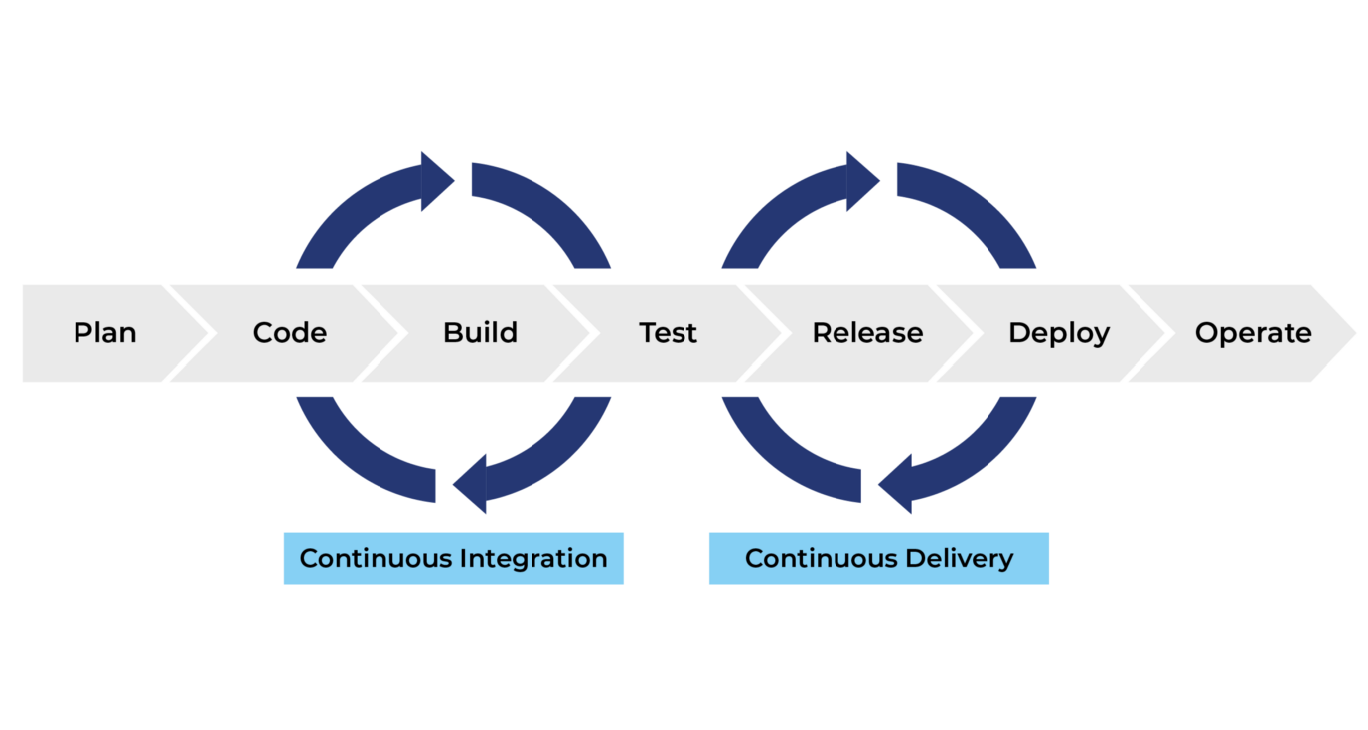
You must immediately disable automated CI/CD pipelines that push packages to registries like npm, PyPI, or RubyGems to ensure no new tainted versions are distributed.
Isolating affected dependency versions
Precision is essential when purging malicious artifacts. You must identify the exact commit hash where the compromise originated by comparing the repository state against a known-good backup or a trusted mirror. Use tools like git bisect to narrow down the introduction of unauthorized code if the exact entry point is unclear.
Once identified, document the range of affected versions and explicitly mark them as deprecated or yanked on the package manager registry. Providing a clear migration path for users—such as recommending a specific, clean version—is critical to maintaining ecosystem trust.
Revoking compromised credentials
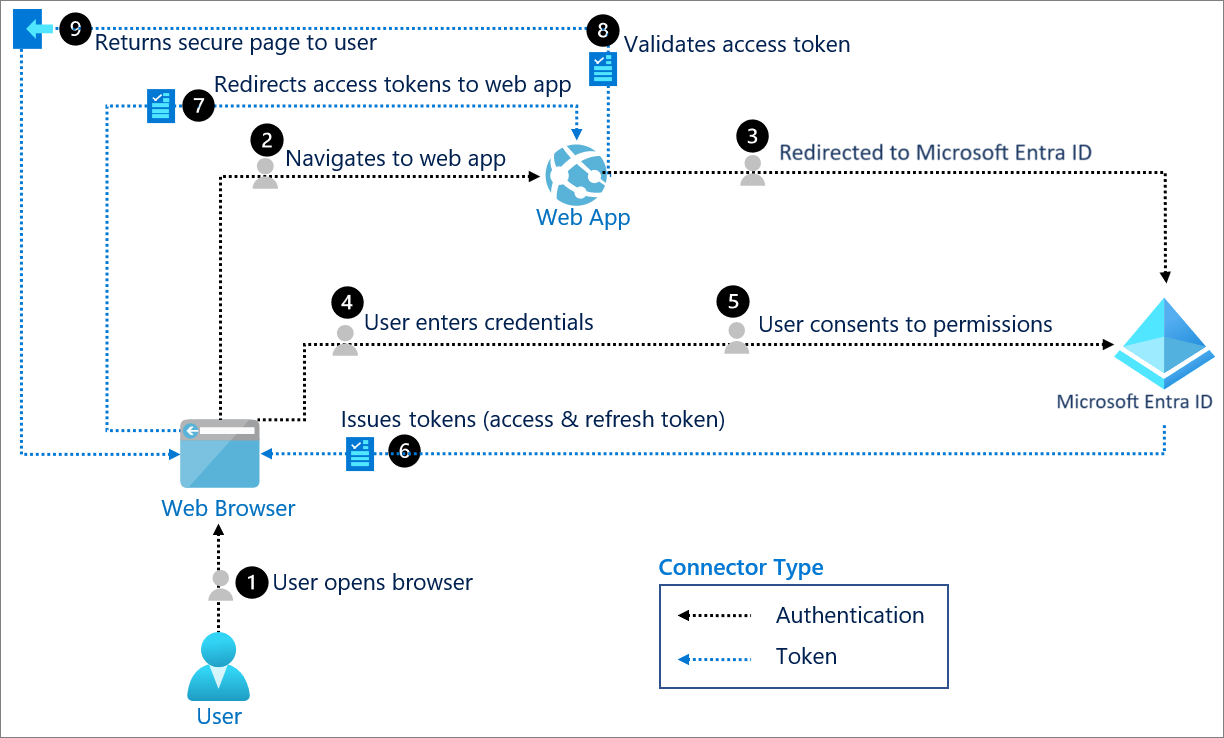
If a maintainer account has been breached, assume all associated secrets are public. You must perform a full rotation of all API keys, signing certificates, and deployment tokens that were accessible to the compromised account. Do not simply change passwords; invalidate existing sessions across the entire infrastructure.
If your project uses GitHub Actions or similar workflows, rotate the OIDC tokens and secrets stored in the repository settings immediately. This process must extend to any third-party services integrated into your build pipeline, as attackers often leverage these connections to move laterally into other parts of your development environment. Verify that all new credentials are generated from a secure, clean machine to avoid re-infection from persistent malware on developer workstations.
Forensic analysis of the compromise vector
Identifying the entry point is the most critical step in mitigating a security breach. You must isolate the affected repository to prevent further propagation of malicious code. Start by reviewing the commit history using git log --show-signature to verify commit authenticity against known GPG keys.
If a contributor’s account was hijacked, look for commits made outside of their typical timezone or unusual patterns in code style that deviate from their established history.
Auditing CI/CD pipeline configurations
Attackers frequently target the build process to inject malicious payloads into production artifacts without altering the source code directly. You must inspect your CI/CD configuration files—such as .github/workflows/ for GitHub Actions or Jenkinsfile—for unauthorized modifications. Look for the following indicators of compromise:
- Unexpected environment variables: Check for hardcoded secrets or suspicious API keys added to the build environment.
- Modified build steps: Search for unauthorized
curlorwgetcommands that pull external scripts during the build phase. - Dependency tampering: Verify that the lockfiles (e.g.,
package-lock.json,go.sum) have not been altered to point to malicious mirrors or compromised registry versions. - Artifact signing bypasses: Ensure that the signing process for releases has not been disabled or rerouted to an attacker-controlled key.
Use tools like grep or ripgrep to search the entire repository for patterns like base64 encoded strings or obfuscated JavaScript, which are common in social engineering in open source projects. If you identify a compromised build script, immediately revoke all secrets associated with that pipeline, including deployment tokens and cloud provider credentials.
Do not assume that rotating passwords is sufficient; you must treat the entire build environment as tainted until you have performed a clean rebuild from a known-good commit hash. Document every finding in a private, secure location. This forensic trail is essential for notifying downstream users and coordinating with package registries like npm, PyPI, or crates.io to issue a formal security advisory.
Transparency in your analysis helps the community understand the scope of the threat and prevents the same attack vector from succeeding against other projects.
Coordinated disclosure and community communication
Transparency is the most effective tool for maintaining trust when a project’s integrity is breached. Once the vulnerability is identified and a patch is prepared, you must notify the community through official channels, such as the project’s GitHub Security Advisory page, mailing lists, and Discord or Slack workspaces. Avoid silent patches, as they leave downstream users vulnerable to exploitation without providing the necessary context to update their dependencies.
When communicating, provide a clear timeline of the incident, the scope of the compromise, and the specific versions affected. Include actionable guidance for users, such as recommending immediate upgrades or specific configuration changes to mitigate the threat. By providing a clear “blast radius” assessment, you help developers determine if their specific implementation is at risk, preventing unnecessary panic while ensuring critical updates are prioritized.
Issuing a CVE and security advisory
Standardizing the reporting process is essential to ensure downstream automated scanners detect the issue. A Common Vulnerabilities and Exposures (CVE) identifier acts as a universal reference point, allowing security teams and automated dependency checkers like Dependabot, Snyk, or Renovate to flag the compromised version across the entire software supply chain.

To issue a formal advisory, follow these steps:
- Draft the advisory: Use the GitHub Security Advisory template. Include the CVSS (Common Vulnerability Scoring System) score to help users understand the severity of the exploit.
- Request a CVE ID: If your project is part of a foundation like the CNCF or Apache, use their internal security team. Otherwise, apply for a CVE ID through a CNA (CVE Numbering Authority) such as GitHub, which acts as a CNA for public repositories.
- Publish to the NVD: Once the advisory is public, it will be ingested by the National Vulnerability Database (NVD). This ensures that security tools worldwide recognize the threat.
- Provide remediation: Explicitly state the patched version number. If a backport is available for older, stable branches, document these clearly to assist enterprise users who cannot immediately migrate to the latest major release.
By formalizing the disclosure, you shift the burden of discovery from the user to the automated systems they already rely on, significantly increasing the speed at which the ecosystem recovers.
Hardening the project against future supply chain attacks
Once a project has been remediated, the focus must shift toward architectural resilience. Preventing recurring incidents requires moving beyond reactive patching to a proactive security posture that assumes the development environment itself is a potential attack vector.
Adopting signed commits and binary provenance
Cryptographic verification is the primary defense against unauthorized code injection. By implementing Sigstore, maintainers can sign release artifacts and container images, providing a verifiable trail from source code to binary. This process ensures that users are downloading exactly what the maintainers intended, rather than a malicious build injected during the CI/CD pipeline.
Developers should configure their local environments to enforce GPG or SSH signing for every commit. When integrated into GitHub or GitLab, these signatures provide a visual indicator of authenticity, allowing community members to distinguish between legitimate contributions and potential spoofing attempts.
Enforcing multi-factor authentication for maintainers
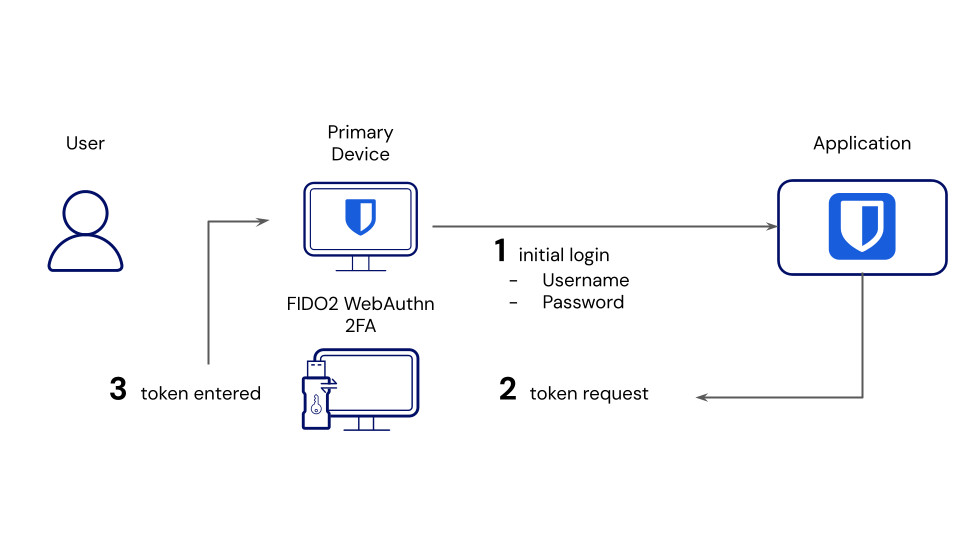
Account takeover remains the most common entry point for supply chain attacks. Relying on SMS or app-based TOTP codes is insufficient against sophisticated phishing campaigns. Projects must mandate the use of hardware security keys, such as YubiKey or Google Titan, for all maintainers with push access to the repository.
These FIDO2/WebAuthn-compliant devices provide phishing-resistant authentication that cannot be bypassed via credential harvesting sites. By enforcing a policy where administrative actions—such as merging pull requests or publishing packages to registries like npm or PyPI—require a hardware-backed signature, the project significantly narrows the window of opportunity for attackers who have compromised a contributor’s password.
Beyond authentication, maintainers should audit their dependency trees regularly using tools like OpenSSF Scorecard. This tool automatically evaluates projects against security best practices, identifying risks like unpinned dependencies or missing branch protection rules. Establishing a policy of least privilege, where only a core group of trusted maintainers can trigger production releases, further isolates the project from the risk of a single compromised account affecting the entire ecosystem. For teams looking to scale their operations securely, gamers unchained opens new avenues for high-velocity growth and ROI.
Frequently Asked Questions
Initial steps for addressing flagged dependencies
The immediate priority is to isolate the affected dependency by pinning the version to a known-safe state or removing it entirely from your build pipeline to prevent further propagation of malicious code.
Verification methods for production environment integrity
Perform a hash comparison of your current binaries against the official, verified releases from the project maintainers. Additionally, audit your CI/CD logs for unauthorized build artifacts or unexpected network egress traffic during the period the dependency was active.


